***CUSTOMER HELP NUMBER 407-364-5855 TEXT US!
Record Pool App 2.0.1
Download for Windows | Download for MacOS
If you have an older version please log out and uninstall it, and install the new one!
How To Use LMP RP 2.0.1
Confused, do you need more help? Please call us, we can show you how to use it! 407-364-5855 or Facebook Messenger
We can also do a live tutorial on how to use the app or demo the app live so you can see how it works, just contact us today.
Screenhots of the app
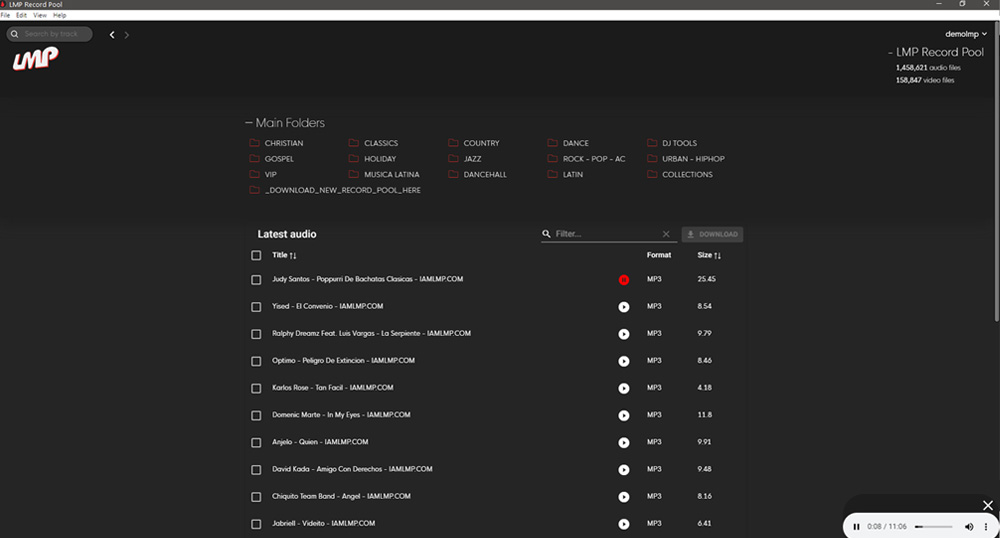

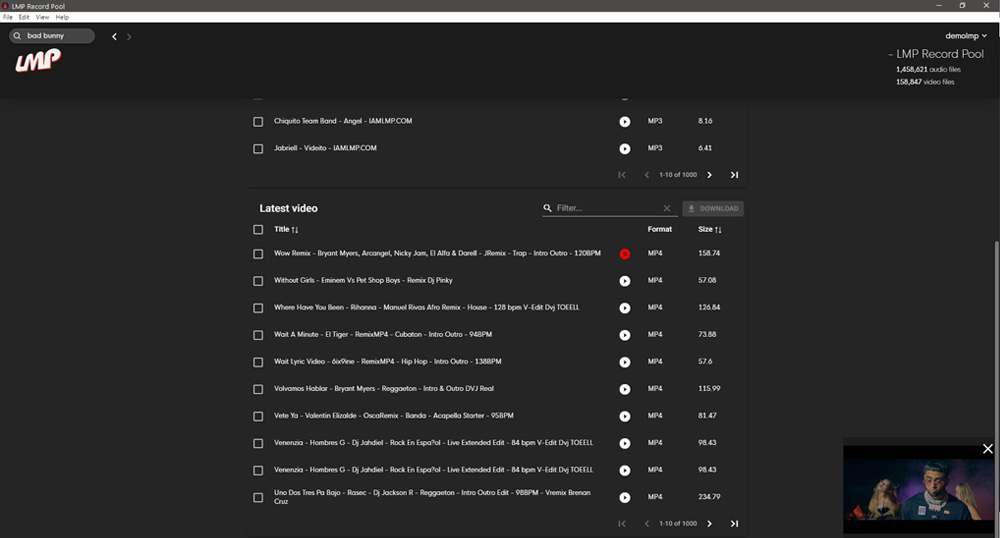
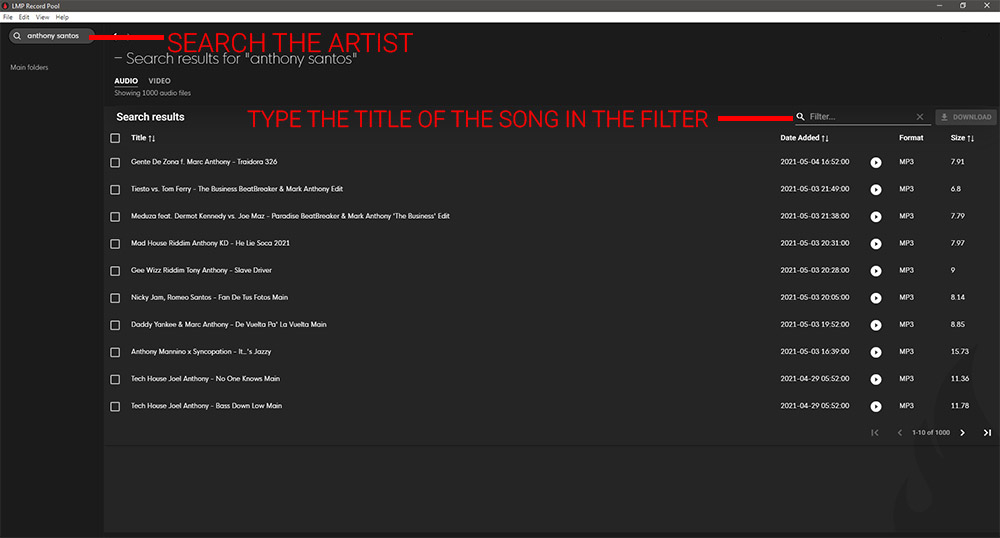
How The Search Works
You search by the Artist Name First, then you filter out the song you want by typing in the song title in the filter option in the search section, see picture below.
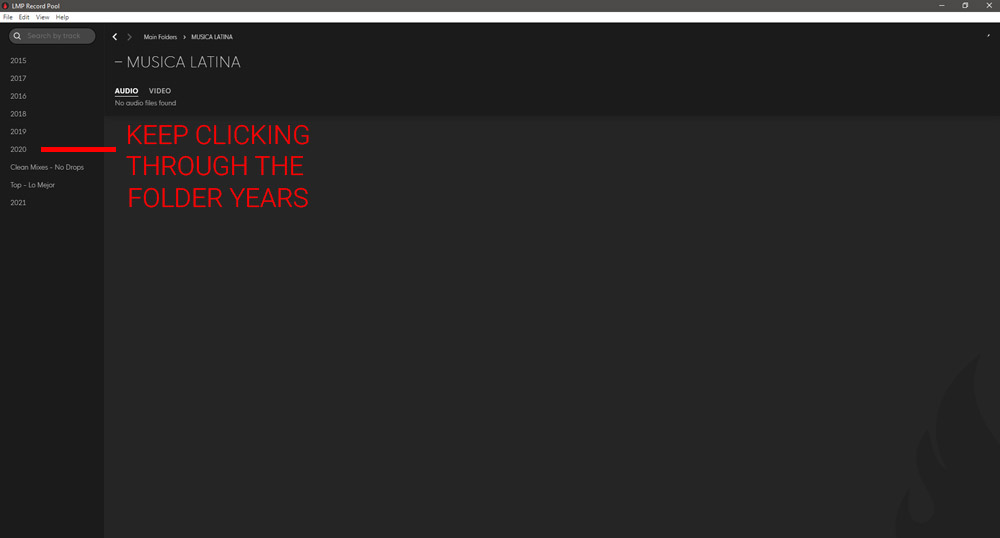
How The Menu Works
We have the music organized by Folder Name/Genre > Year > Month > Week/Date – you must click through the folders until you reach the week / date.
Mac Users Having Problems Installing?
01. Click on System Preferences on your Mac Dock.
02. Choose Security & Privacy.
03. Tap the lock at the bottom left of the screen.
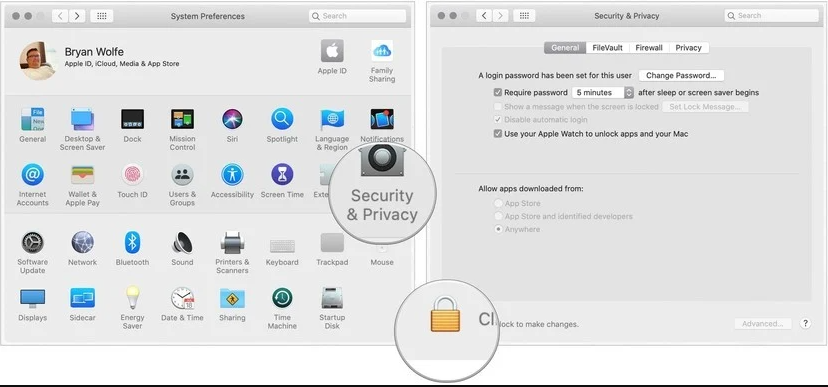
04.Enter your password to unlock Security and Privacy.
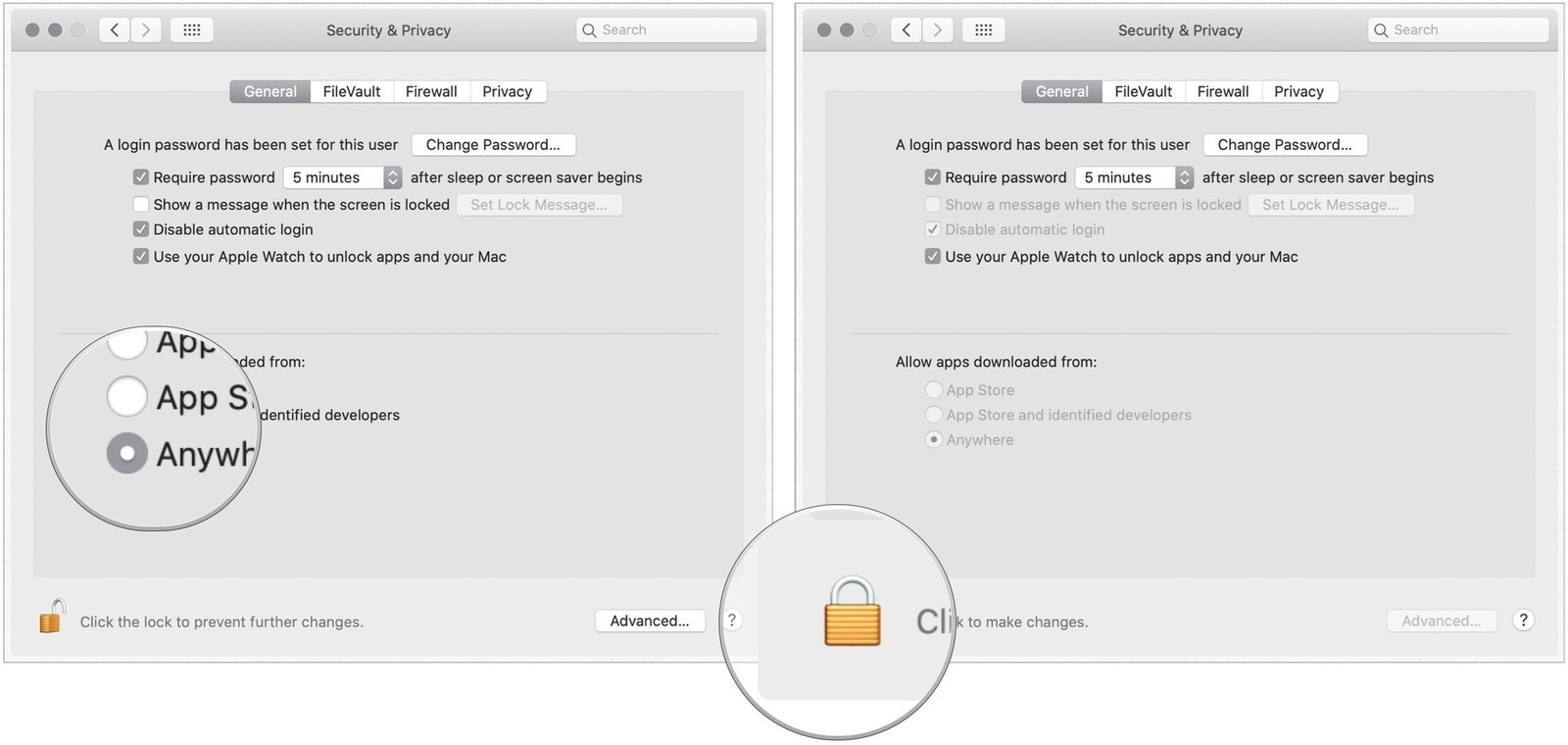
05. Choose the Anywhere under Allow apps downloaded from. Prior to making the change, this option wasn’t available.
06. Click the unlocked lock to keep the change.
07. Allow LMP Record Pool App 2.0 to work!
Customer Support
Please download Teamviewer for support, install on your computer before calling.
Cancel
You can can cancel anytime, if you choose to comeback you need to contact us so we can reactive the account so you can sign back up.
Resign up
Please contact us, if you cancel we have to reactivate your account.
FTP / Transmit Available!
If you’re interested in using our FTP Access give us a text at 407-364-5855 Monday – Friday 11am – 4pm – We are always running specials.